sanctions.io for Shopify: Automate Sanctions Screening for Your Store
The sanctions.io Shopify app screens a store's customers, companies and orders against sanctions, PEP and criminal watchlist data from inside Shopify Admin. It checks new customers and orders automatically, screens any customer, company or order on demand, and keeps a record of every check for audits. Short version: if you sell to customers in other countries, the app gives you a documented check that you are not shipping to a sanctioned person or company, without exporting customer lists into a separate tool.
Why do Shopify merchants need sanctions screening?
Sanctions laws apply to every business, not only banks. US (OFAC), EU, UK and UN sanctions prohibit making goods, services or funds available to listed people and companies, and there is no minimum company size or order value.
Three points matter most for online sellers:
- Liability does not depend on intent. OFAC civil penalties apply on a strict liability basis, so shipping to a listed buyer can be a violation even if you did not know.
- Your payment provider's checks do not replace yours. Processors screen to protect themselves; the obligation not to sell to a sanctioned party stays with the seller.
- A documented process counts. Regulators weigh whether a business had a risk-based compliance program when deciding penalties. A screening log is the evidence.
What can a violation cost?
Under IEEPA, the law behind most US sanctions programs, the maximum civil penalty is $377,700 or twice the transaction value, whichever is greater, per violation. OFAC counts violations per transaction, so a handful of small orders can add up to a large exposure.
OFAC can also pursue violations going back 10 years, and businesses must keep transaction records for the same period. A screening log showing who was checked, when, and what was decided is the record an investigator will ask for.
Which stores carry the most risk?
- Stores that ship internationally, especially to transshipment hubs such as the UAE, where goods can be forwarded to sanctioned countries.
- B2B and wholesale stores that sell to distributors or resellers abroad.
- Stores selling parts, electronics, chemicals or other goods with military or industrial uses.
- Stores with repeat customers, because a buyer who was clean at signup can be sanctioned later.
Recent OFAC penalties against sellers of goods and services
OFAC publishes few cases against pure online stores. The cases below involve product and consumer sellers whose failures map directly onto how a Shopify store operates.
The pattern across these cases:
- Screen every order, not only new customers. SkyGeek's buyers were clean when they first ordered.
- Use current lists. One SkyGeek order went through on the day the buyer was designated.
- Small orders still count. SkyGeek's violating shipments were worth $3,430 in paint, tape and coatings.
- Small companies are not exempt. Córdoba had fewer than 100 employees.
- Self-reporting helps. Córdoba disclosed voluntarily and settled for $41,591, against a statutory maximum of $3,313,224.
{{snippets-guide}}
How does the Shopify integration work?
The app reads customer and order data through Shopify's standard app permissions and runs each check against the sanctions.io screening engine.
- Install the app from the Shopify App Store and choose a plan. It runs inside Shopify Admin.
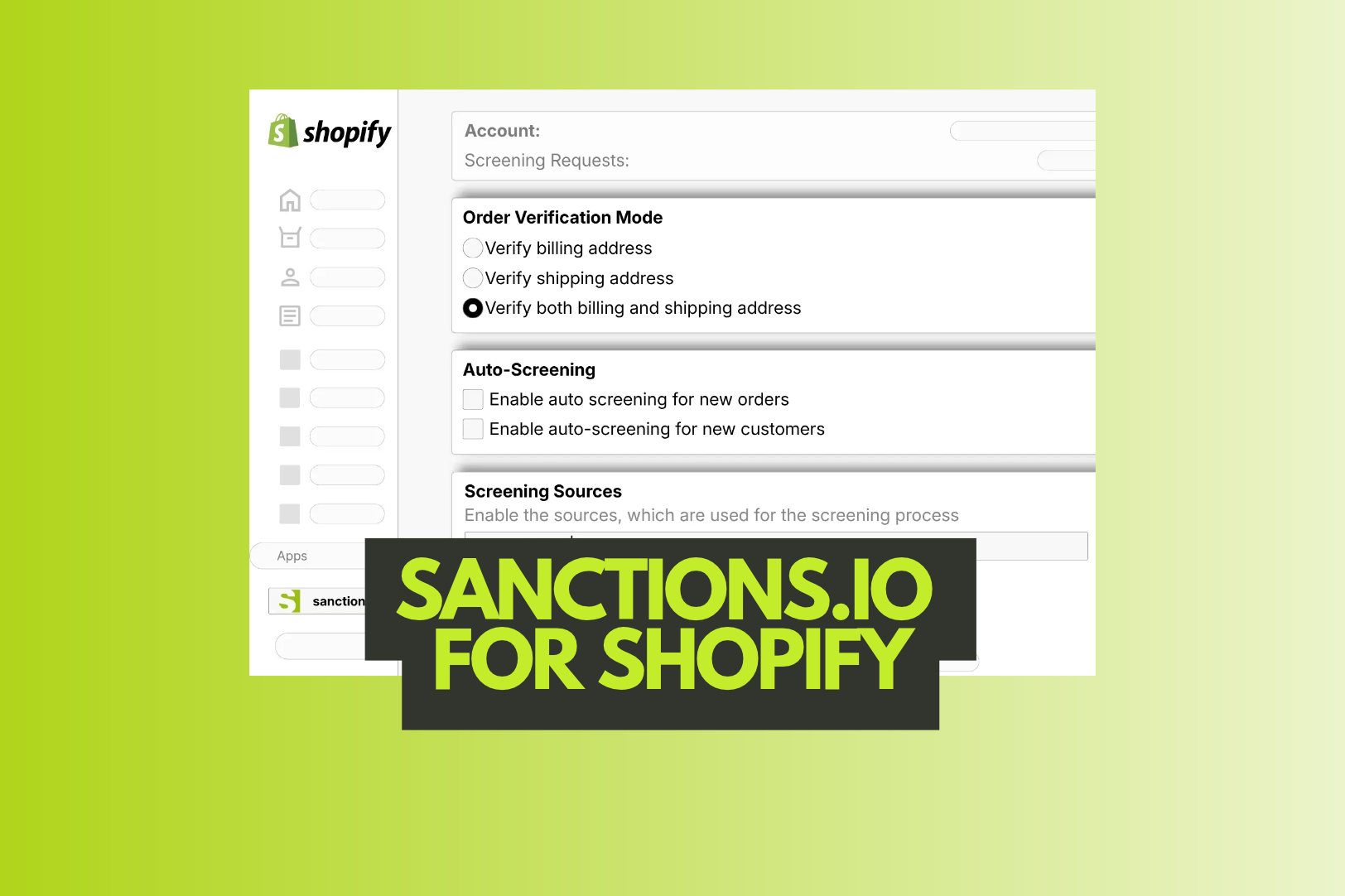
- Configure which watchlists apply to your store and switch on automated screening for new customers and new orders.
- Screen continuously. Each new customer or order is checked as it arrives. You can also screen any customer, company or order on demand.
- Review flags before fulfillment. A potential match is flagged so the order can be held before it ships.
- Keep the record. Every screening, match and decision is logged with a timestamp.
Which lists and data does the app check?
The app screens against three data sets, refreshed every 60 minutes.
What the app reads from your store: according to its App Store data-access disclosure, the app views customer name and physical address, store owner contact details, and order history for the last 60 days.
How are matches and false positives handled?
Most flags in e-commerce are false positives, so matching quality decides how much manual review a store needs. sanctions.io uses NLP-based name matching that accounts for real-world name variation:
- Transliteration and spelling: Abdul Rasheed and Abd al-Rashid
- Different scripts: Mao Zedong, Мао Цзэдун and 毛泽东
- Nicknames: William, Will and Bill
- Company name variants: Eagle Pharmaceuticals, Inc. and Eagle Drugs, Co.
A flag is a lead, not a verdict. Compare the listed profile with what you know about the buyer, such as country, address and date of birth, then record the decision in the app's case management. The full screening history and match records stay available for auditors.
If a match is confirmed, hold the order and get legal advice before cancelling or refunding. Under some regimes, including OFAC's, funds from a sanctioned party must be blocked and reported rather than returned.
Can I automate what happens when an order is flagged?
Yes. Shopify Flow can act on sanctions.io screening results, and Sidekick, Shopify's AI assistant, builds Flow workflows from a plain-language description. Sidekick creates every workflow as an inactive draft, so nothing runs until you review it and turn it on.
To build a workflow with Sidekick:
- Install Shopify Flow, open Apps > Flow on a desktop, and click Sidekick.
- Describe what should happen when sanctions.io flags a customer or order, using one of the prompts below.
- Check the trigger, conditions and actions Sidekick generated, test the workflow, then turn it on.
Hold automatically, cancel manually. Flow also has a Cancel order action, but holding is the safer automatic response. Cancelling can refund the payment, and for a confirmed sanctions match the funds may need to be blocked and reported instead. SkyGeek's penalty (see above) included two refunds to sanctioned buyers. Review the hold, decide, and cancel by hand once you know the outcome.
How much does it cost, and which plan fits?
Pricing is based on screening requests per month, billed in USD every 30 days. Paid plans include a 7-day free trial. Check our pricing on the Shopify app store.
To size a plan, add your monthly new customers to your monthly orders, since both can be screened. A store with 300 orders and 150 new customers a month needs about 450 screenings. Merchants above 2,000 screenings a month can contact sanctions.io for volume pricing.
FAQ
Is sanctions screening legally required for a Shopify store? Sanctions laws prohibit selling to listed parties; they do not prescribe a specific tool. Screening is the standard way to show you complied.
Can the app screen customers I already have? Yes. You can screen any existing customer on demand from Shopify Admin.
Does it screen businesses or only individuals? Both. Customers, companies and orders can be screened.
How current is the data? Sanctions, PEP and watchlist data is refreshed every 60 minutes.
Can I stop an order before it ships? Yes. Automated order screening flags potential matches so you can hold fulfillment while you review.
Is the app secure? sanctions.io is SOC 2 Type II certified, and every screening is logged with a timestamp.
Is there a free version? Yes. The free plan includes 20 screenings per month; paid plans start at $29 per month.